

Sales reps spend 40% of the working week actually selling. The other 60% goes somewhere else, and Salesforce’s State of Sales research is specific about where. Creating quotes takes 17% of the week. Manually entering data takes another 13%. Both sit in the non-selling column.
Read that again, because it is the most sorry number in enterprise software. Nearly a third of your sales team’s week is spent producing documents and retyping information the CRM already holds. Not persuading anyone. Not qualifying anything. Assembling paperwork.
This article looks at what manual document creation is really costing you, how document generation actually works inside Salesforce in 2026, why the ground has quietly shifted beneath the tooling most teams are still using, and why the projects that fail almost never fail for the reason people expect.

The Real Cost Was Never the Twenty Minutes
Salesforce describes the problem better than most of its customers do. While announcing Agentforce for Revenue, the company stated:
“Quoting should be simple. But for most sales reps, it’s anything but. They are forced to hunt for the right combination of SKUs, interpret complex pricing rules, check legal terms, and wait on approvals, all while under pressure to move fast. A single mistake can lead to delays, rework, or worse: sending an incorrect quote.”
That last clause is where the money is. The visible cost of a manual document is the time it takes to build. The invisible cost is everything that follows a mistake in it.
A rep opens last quarter’s proposal because it is the closest thing to hand, updates the customer name and the headline number, and misses the pricing table three pages down. Legal’s approved clause was revised in March; the copy in the shared drive was not. The discount that needed the director's sign-off got it verbally, on a call, and there is no record of it anywhere. The deal is won, but the mistakes unwind six weeks later when someone in finance notices.
None of that is a template problem. It is what happens when the document is assembled by a human from sources that disagree with one another. Tellingly, in the same State of Sales research, manual errors rank as the number one data issue reported by sales teams. Not incomplete data, not duplicates. Human error, introduced by hand, at the exact moment the business is making a commitment to a customer.
And it slows the deal down. Every hour a quote sits in a queue waiting for a template, a price approval or a legal review is an hour in which your prospect’s enthusiasm cools and a competitor’s proposal lands first.
The Anatomy of a Doc-Gen Project That Stalls
Document automation projects fail with remarkable consistency, and almost never for the reason the business expects. It is never the merge fields. Here are 5 reasons why most doc-gen projects stall:
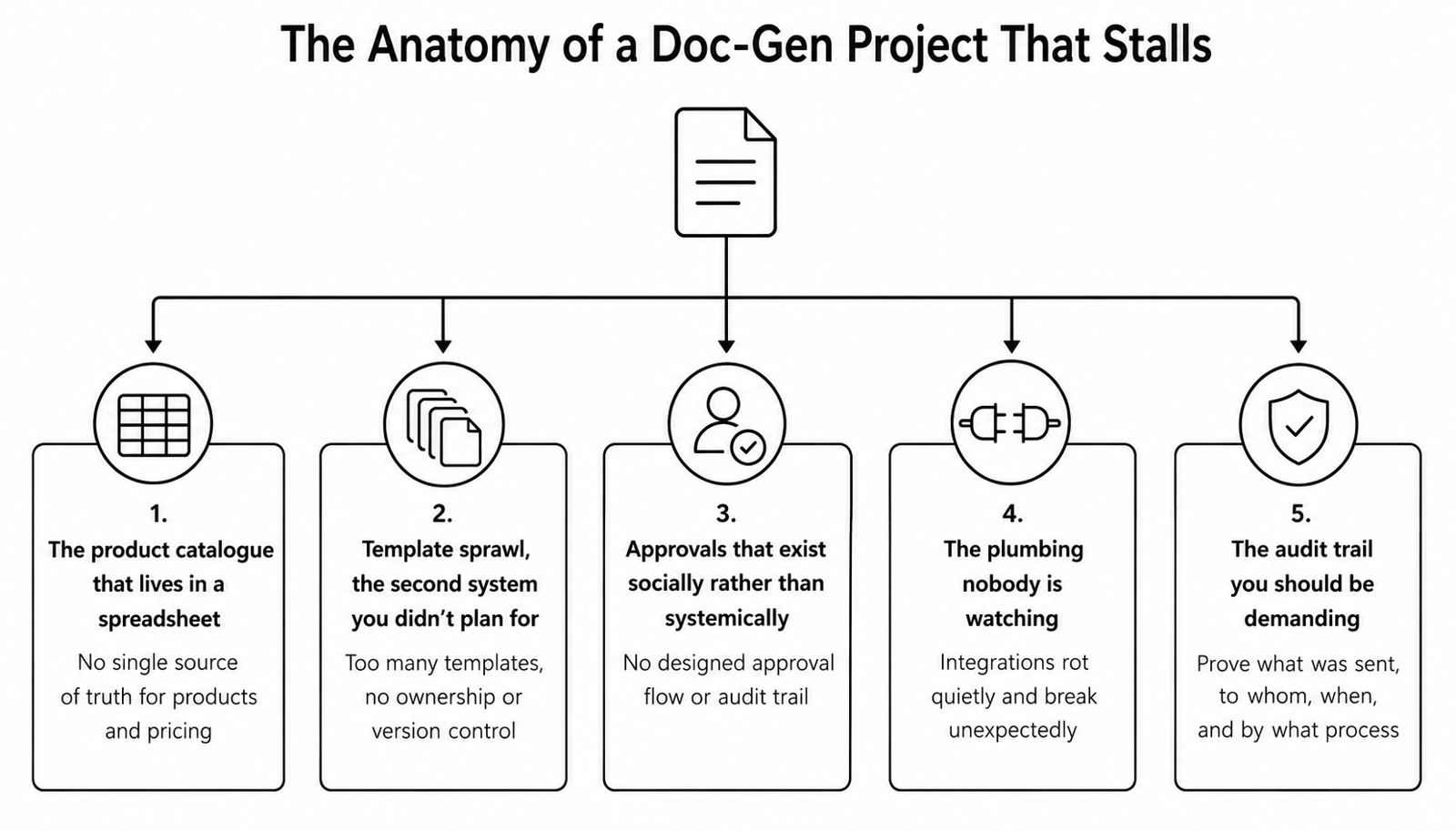
1. The product catalogue that lives in a spreadsheet
This is the real one. A template can only merge fields that exist and can be trusted. If your product catalogue lives in a spreadsheet, your pricing rules live in a sales director’s head, and your discounting policy is “whatever we did last time,” then automating the document simply produces a wrong document faster, with a corporate logo on it. The document is the output. The data model is the project. Every serious implementation starts by establishing a single source of truth for products and pricing, because there is no version of this that works without one.
2. Template sprawl, the second system you didn’t plan for
Nobody owns templates. So every region, product line, and enthusiastic rep spawns a variant, and eighteen months later, you have two hundred templates and no idea which is current. You have automated the document and recreated the version-control problem one layer up. The answer is ownership and lifecycle management, not more templates.
3. Approvals that exist socially rather than systemically
If a discount currently gets approved on a call and recorded nowhere, automation will not fix that. It will encode it. The approval logic has to be designed as part of the document flow, with the audit trail as a first-class output rather than an afterthought.
4. The plumbing nobody is watching
Doc-gen is an integration, and integrations rot quietly. The live example this year is Nintex DocGen, where Salesforce’s enforcement of enhanced OAuth means customers must migrate their connected app and reauthorise the integration user, or automated document runs simply start failing with authentication errors. Nobody notices a vendor release note until the quotes stop generating on a Friday afternoon.
5. The audit trail you should be demanding
Get this right, and you gain something manual document creation could never give you. A properly built native solution links the generated PDF back to the record as a File, with a generation timestamp, a process ID, and a status, so that you can prove which version of which document went to which customer, and when. In a regulated business, that is not a productivity feature. It is the reason to do the project at all.
Four Ways to Generate a Document in Salesforce, and When Each One Fits
So, how do you actually automate document generation in Salesforce? There is no single switch, and anyone who tells you otherwise is selling something. There are four viable routes for Salesforce document automation, and choosing correctly between them is largely an architectural decision: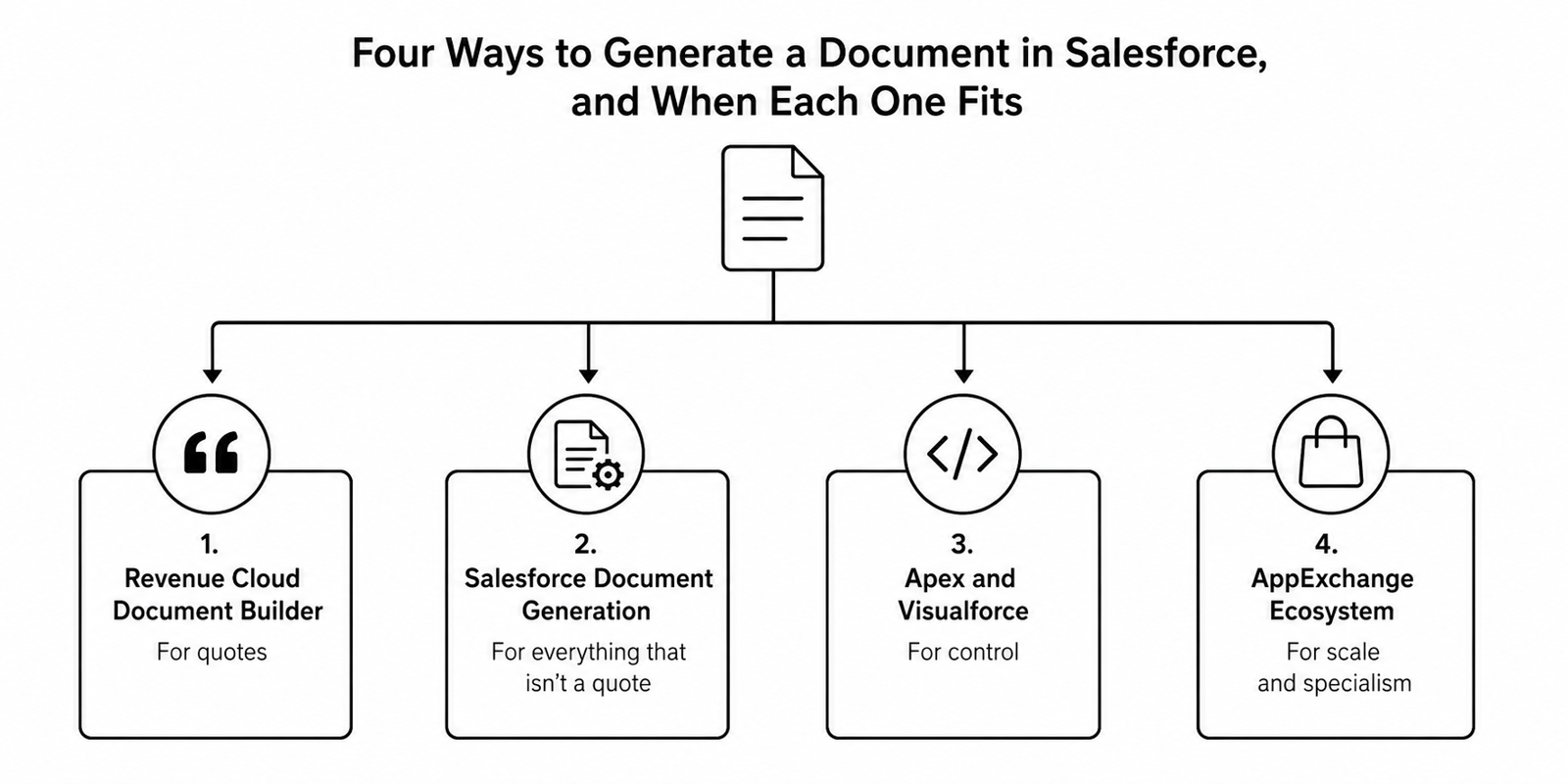
1. Revenue Cloud Document Builder, for quotes
If your documents are quotes and you are on Revenue Cloud Advanced, Document Builder is the intended path. It is a drag-and-drop template builder in Setup, with dynamic component visibility and no HTML required. It can generate a PDF straight from the quote. Crucially, its templates are stored as standard Salesforce metadata, which means they deploy through your normal release process rather than being hand-carried between orgs. Anyone who wrestled with classic CPQ templates will recognise how large an improvement that is.
2. Salesforce Document Generation, for everything that isn’t a quote
The Omnistudio-based Document Generation service is the closest thing Salesforce offers to a general-purpose native doc-gen engine. You design templates in Microsoft Word and PowerPoint, and it generates outputs in formats like .docx, .pptx, or .pdf, that are populated from Salesforce records or any JSON source. It supports server-side generation for large or complex documents, batch processing, and template portability between orgs, and it extends through Omniscript and Apex. It requires the Omnistudio managed package and separately purchased Document Generation licences. So this is a deliberate investment rather than something you already own.
3. Apex and Visualforce, for control
Visualforce PDF rendering is still supported and still capable, particularly in its advanced form with modern CSS and HTML support. And as of the Spring ’26 release, Blob.toPdf() in Apex now uses the same rendering service as Visualforce, with wider font support, which means you can generate a PDF from HTML entirely in Apex, with no Visualforce page, and attach it to the record as a File. One practitioner’s warning if you go this way: that upgrade also changes the default font from serif to sans-serif, which can silently alter documents you have been producing for years.
4. The AppExchange ecosystem, for scale and specialism
There is a mature market here, and it exists for good reasons. Conga Composer remains the workhorse for complex, high-volume, multi-format document estates. Nintex DocGen suits rules-heavy document packages. S-Docs is genuinely Salesforce-native, with no external merge service, which matters enormously in healthcare, financial services and the public sector where data cannot leave the org. PandaDoc and DocuSign Gen make sense when e-signature and agreement management are the centre of gravity rather than the document itself.
Where Agentforce actually fits
Agentforce for Revenue lets a rep describe a quote in plain language, “quote 25 licences at a 10% discount”, and have an agent assemble it, pulling the right products, pricing and terms from an Opportunity, Quote or Account record, and from Slack. It is genuinely useful, and it is the direction of travel. But be precise about what it is: Agentforce is the agentic layer that drives the quoting process, not a PDF rendering engine. The rendering still happens in Document Builder, Document Generation, or Apex. Vendors blur this constantly. Do not budget for a capability on the strength of a marketing claim.
CPQ Went End of Sale, and Nobody Told the Template
Here is the fact that should reframe the decision for anyone scoping this work in 2026: Salesforce CPQ, the managed package the whole quoting world was built on, went End of Sale in March 2025.
End of Sale is not End of Life. Existing customers keep using it, keep getting support, and can renew. But Salesforce has stopped selling it to new customers and moved its innovation to Revenue Cloud Advanced. Meredith Schmidt, EVP and GM of Revenue Cloud, was explicit about the shift: “Salesforce CPQ helped usher in the second wave of revenue management by enabling recurring revenue at scale. Now, with Revenue Cloud, we’re delivering the third wave: revenue management powered by an API-first, composable, and agent-ready platform.”
The practical consequence is not urgency, it is direction. If you are about to invest six figures in automating your quote documents on classic CPQ templates, you are investing in a component with no roadmap, and you will be having this same conversation again in three years with more sunk cost attached. It is a textbook example of how shortcuts taken today become tech debt tomorrow: the tooling still works, so nobody raises it, and the architecture quietly ages beneath a business that has stopped looking at it.
That is an architecture question, and it deserves answering before the template question, not after. It is the same discipline that governs every customise-versus-configure decision on the platform.
What Comes Back When the Documents Build Themselves
The return arrives in three places, and only one of them is time.
The first is speed. When the quote assembles itself from live pricing the moment the rep asks for it, the deal keeps its momentum instead of stalling in an approval queue. Salesforce reports that its own sales team, using Agentforce for quoting, saw a 75% decrease in quoting time and an 87% reduction in clicks. That is a vendor reporting on itself, and should be read as directional rather than as a guarantee for your business, but the shape of the result is consistent with what a well-built implementation delivers.
The second is accuracy, and it is the one finance cares about. Documents generated from a governed data model carry the current price, the approved clause, and the sanctioned discount, every time, because they cannot carry anything else. The number one data issue in sales, manual error, is designed out rather than trained against.
The third is the time itself, and where it goes. The 17% of the week spent building quotes and the 13% spent typing data into a system that already had it are not a fixed cost of doing business. They are a design choice, made by default. Automate the document properly, and that time returns to the two activities Salesforce counts as selling: meeting customers and prospecting, which is, presumably, what you hired the sales team to do.
Brysa Builds the Layer Your Templates Merge From
Most document automation projects we are brought into have already been attempted once. The template was built. The tool was bought. And the output was still wrong, because it was merging from a product catalogue nobody owned, a price book that disagreed with the spreadsheet finance actually uses, and an approval process that lived in people’s habits rather than in the system. The document was never the problem. It was just the first place the problem became visible to a customer.
As a trusted Salesforce consulting partner, we start one layer down. We establish the single source of truth for products, pricing, and terms that a merge field can safely read from. We map the approval and clause logic that has been running informally, and we build it into the flow so the audit trail is generated rather than reconstructed. Then, and only then, do we choose the tooling, whether that is Revenue Cloud’s Document Builder, Salesforce’s native Document Generation service, or the right AppExchange partner for your data-residency and compliance constraints, and whether Agentforce should be driving the process on top.
We do not just automate your documents. We fix the system they are assembled from. Through our Salesforce implementation services and Salesforce Document & Generation eSignature Package, we deliver this as a business outcome you can measure.
If your reps are still handling documents manually, they are not slow. They are being asked to do a job that the platform should be doing for them. Let’s fix that. Contact us now.